|Minecraft Java 版是指 Windows、Mac OS 与 Linux 平台上,使用 Java 语言开发的 Minecraft 版本。
|每周快照是 Minecraft Java 版的测试机制,主要用于下一个正式版的特性预览。
|然而,每周快照主要用于新特性展示,通常存在大量漏洞。因此对于普通玩家建议仅做测试尝鲜用。在快照中打开存档前请务必进行备份。适用于正式版的 Mod 不兼容快照,且大多数 Mod 都不对每周快照提供支持。
|Minecraft Java 版 26.3 仍未发布,26.3-snapshot3 为其第 3 个快照。
|本文内容按照 CC BY-NC-SA 4.0 协议进行授权,转载本帖时须注明原作者以及本帖地址。
 NEWS
NEWS
Minecraft 26.3 Snapshot 3
Minecraft 26.3 Snapshot 3
A Minecraft Java Snapshot
Minecraft Java版 快照
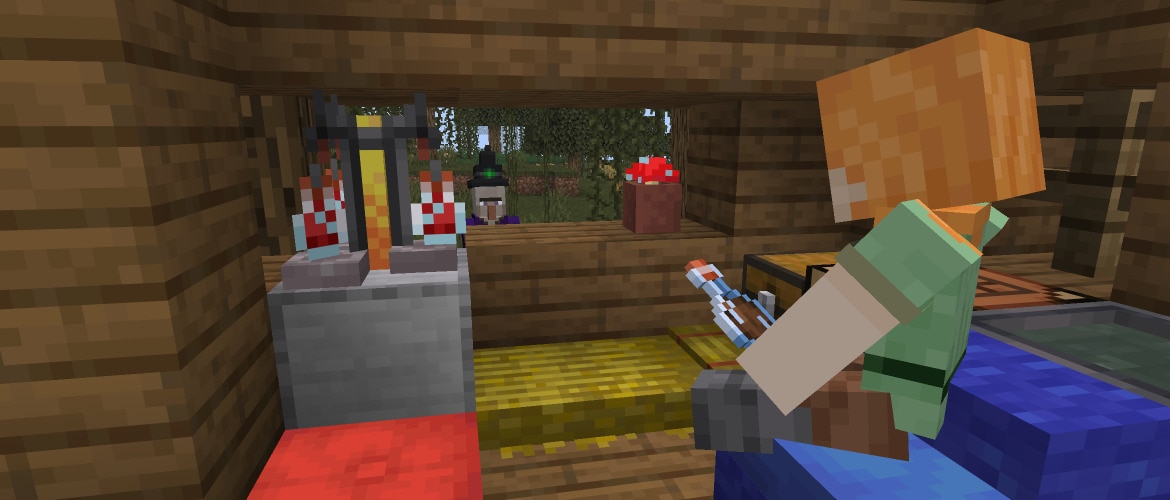
Tuesday? Pfft. It's snapshot day! Today's snapshot introduces two brand-new features coming to 26.3: perfect for anyone that loves to camp in comfort. The cushion, coming in 16 color variants, finally brings the ability to sit down around a campfire. To go along with it, the straw bed brings the comfort of sleep (without the worry of losing your spawn point) to any adventure!
周二?别扯了,更新快照的时间到啦!本次快照为 26.3 带来两项全新内容,非常适合喜欢舒适露营的玩家。坐垫共有16种配色,终于能让大家围坐在营火旁休憩。与之配套的麦秆床,能让冒险者随时安心入睡,而且不用担心重生点失效!
In addition, this snapshot brings many technical improvements: from custom brewing recipes to new ways to create and apply post-processing effects!
除此之外,本次快照还带来多项底层技术优化:加入了自定义酿造配方的功能,同时提供了全新的后处理管线!
Happy cozy crafting!
合成快乐!
NEW FEATURES
新特性
- Added Cushion
- 加入了坐垫
- Added Straw Bed
- 加入了麦秆床
- Added Gothic language support to the game
- 加入了对哥特语的支持
CUSHION
坐垫
- The Cushion is an item that the player can place in the world and interact with to sit on
- 坐垫是一个物品,玩家可以将其放置在世界中并与之互动来坐下
- Can be crafted in 16 colored variants
- 可制作为16种颜色变种
- Cushions are crafted using 3 Wool Slabs of the same color
- 坐垫可以使用3个相同颜色的羊毛台阶合成
CUSHION PLACEMENT RULES
坐垫放置规则
- A Cushion can be placed on any flat surface
- 坐垫可以放置在任何平坦表面上
- Cushions always align horizontally to the grid, but vertically sit on top of the supporting surface
- 坐垫始终在水平方向上与网格对齐,但在垂直方向上位于上表面的顶部
- Cushions cannot move
- 坐垫不可移动
- Cushions break if the supporting block is removed
- 如果支撑方块被移除,坐垫会被破坏
- Cushions do not have collision and can overlap with other objects (except other Cushions)
- 坐垫没有碰撞体积,可以与其他物体重叠(其他坐垫除外)
STRAW BED
麦秆床
- The Straw Bed is a new type of Bed which can be used to sleep through the night without setting your spawnpoint
- 麦秆床是一种新的床,可以用来跳过整个夜晚,而不会重置你的重生点
- It can only be used once and will be destroyed after use
- 只能使用一次,使用后会被摧毁
- It cannot be used in the Nether or The End and will be destroyed if you try to sleep on it there
- 不能在下界或末地使用,如果你试图在那里睡觉,它会被摧毁
- It is crafted using 3 Hay Bales and will give you 4 Straw Beds
- 使用3个干草捆合成并获得4个麦秆床
- There's a new statistic in the Statistics window for amount of times slept in a Straw Bed
- 在统计信息界面中新增了一项统计数据,用于记录在麦秆床上睡觉的次数
TECHNICAL CHANGES
技术性更改
- The Data Pack version is now 110.0
- 将数据包版本号更改为 110.0
- The Resource Pack version is now 91.0
- 将资源包版本号更改为 91.0
DATA PACK VERSION 110.0
数据包版本 110.0
COMMANDS
命令
ADDED POSTEFFECT
加入了POSTEFFECT
- Allows adding or removing "post effects" to players
- 允许向玩家添加或移除 “后处理效果”
- These are postprocessing shaders that are applied to the player's screen, after the game has finished normal rendering
- 这些是后期着色器,会在游戏完成常规渲染后渲染到玩家屏幕上
- Post effects exist on the client (in resource packs), not the server – the server cannot know if one will actually apply
- 后处理效果存在于客户端(资源包中),而非服务端——服务端无法知晓某个效果是否会被实际应用
- Post effects themselves were already part of the resource pack format, but only a few hardcoded ones were available to use
- 后处理效果本身已经是资源包格式的一部分,但只有少数硬编码的效果可供使用
Developer's Note: This now makes custom shaders fully available to use from resource packs, but please be aware that shaders are still subject to be changed at-will, and the features involved (the command, post effects, or shaders) may be redesigned in the future.
开发者说明: 现在这使得自定义着色器可以完全通过资源包使用,但请注意,着色器仍可能随时被更改,并且所涉及的功能(命令、后处理效果或着色器)可能会在未来重新设计。
Syntax:
语法:
- /posteffect add <player> <posteffect> - adds the post effect to the player, if it doesn't already exist
- /posteffect add <player> <posteffect> - 为玩家添加指定的后处理效果(如果不存在)
- /posteffect clear <player> - removes all post effects from the player, if any exist
- /posteffect clear <player> - 移除玩家身上的所有后处理效果(如果存在)
- /posteffect list <target> - lists all post effects applied to the player, if any exist
- /posteffect list <target> - 列出应用于玩家的所有后处理效果(如果存在)
- /posteffect remove <player> <posteffect> - removes the post effect from the player, if it exists
- /posteffect remove <player> <posteffect> - 移除玩家身上的指定的后处理效果(如果存在)
CHANGES TO PLACE
对 PLACE 的更改
- The feature sub-command now allows in-line definition of the Feature
- 现在feature子命令接受内联定义的地物
ENVIRONMENT ATTRIBUTES
环境属性
CHANGED MINECRAFT:GAMEPLAY/BED_RULE
更改了MINECRAFT:GAMEPLAY/BED_RULE
- Field explodes has been renamed to destroy_on_use
- 将字段explodes重命名为destroy_on_use
- Added destroy_on_leave - optional boolean, if true, the Bed will be destroyed when leaving it
- 加入了destroy_on_leave - 可选布尔值,若为true,则下床时床会被摧毁
- If omitted, defaults to false
- 默认为false
ADDED MINECRAFT:GAMEPLAY/STRAW_BED_RULE
加入了MINECRAFT:GAMEPLAY/STRAW_BED_RULE
Same format as minecraft:gameplay/bed_rule, but used for the Straw Bed与minecraft:gameplay/bed_rule格式相同,但用于麦秆床
DATA COMPONENTS
数据组件
UPDATED MINECRAFT:BLOCK_TRANSFORMER
更新了MINECRAFT:BLOCK_TRANSFORMER
- Added optional boolean field update_from_neighbors . This controls if the transformed block should update based on neighboring blocks
- 加入了可选的布尔值字段update_from_neighbors。这控制着转换后的方块是否应基于相邻方块进行更新
ADDED MINECRAFT:COMPOSTABLE
加入了MINECRAFT:COMPOSTABLE
- Represents the ability to compost an item and how it adds layers to the composter
- 表示可堆肥物品的能力以及它如何增加堆肥桶的层数
- Format: object with fields
- 格式:包含字段的对象
- layers - namespaced ID pointing to an element of the minecraft:number_provider registry
- layers - 指向minecraft:number_provider注册表中的一个元素的命名空间ID
LOOT TABLES
战利品表
- Multiple block loot tables now reference predicates for checking if a tool has Silk Touch and is Shears instead of inlining a copy of those checks
- 多个方块战利品表现在引用谓词来检查工具是否具有精准采集和剪刀的属性,而不是内联这些检查的副本
PREDICATES
谓词
ADDED VANILLA PREDICATES
加入了 VANILLA 谓词
New entries added to previously empty minecraft:predicate:
向先前为空的minecraft:predicate中加入了新条目:
- minecraft:tool/can_silk_touch
- minecraft:tool/can_silk_touch
- minecraft:tool/can_shear
- minecraft:tool/can_shear
POTION PREDICATES
药水谓词
The minecraft:potion_contents Data Component Predicate has been changed to allow matching on specific potion effects.
minecraft:potion_contents数据组件谓词已更改,以允许匹配特定的药水效果。
The previous predicate format used a list of potion types, the new format allows for more refined matching.
旧版格式采用药水类型列表,新版格式支持更精细的匹配规则。
The following fields can be used in any combination, all are optional:
以下字段可任意组合使用,均为可选字段:
- potions - A list of potion types or a potion tag to match
- potions - 药水效果ID列表或用于匹配的药水效果标签
- effects - A Collection Predicate of mob_effects predicates to match
- effects - 用于匹配mob_effects谓词的集合谓词
- The Collection Predicate format is as follows:
- 集合谓词格式如下:
- contains - A list of mob_effects predicates to match
- contains - 用于匹配的mob_effects谓词列表
- count - A list of options for matching a specific number of mob effect predicates, which follow the same format as minecraft:effects entity sub-predicate`
- count - 用于匹配特定数量的状态效果谓词的选项列表,其格式与 minecraft:effects 实体子谓词相同
- test - The mob_effects predicate to match
- test - 用于匹配的mob_effects谓词
- count - The number of matches required, or with min and max will match a range of counts
- count - 所需匹配的数量,或与min和max一起使用将匹配一个数量范围
- size - Require the mob effects list to have a specific size, or with min and max will match a range of sizes
- size - 要求状态效果列表具有特定大小,或与min和max一起使用将匹配一个大小范围
The mob_effects predicate format is a mapping of effect types to properties of that effect. All fields are optional, only provided fields will be used for matching:
mob_effects 谓词格式是将效果类型映射到该效果的属性。所有字段都是可选的,只有提供的字段才会用于匹配:
- {
- "minecraft: <effect type>": {
- "duration": <integer bounds representing a duration in ticks>,
- "amplifier": <integer bounds>,
- "ambient: true/false,
- "visible": true/false
- }
- )
以下是一条同时匹配多种药水效果与判定条件的示例:
- "effects": {
- "minecraft:jump_boost": {
- "duration": 3600,
- "amplifier": 5,
- "ambient: true,
- "visible": true
- },
- "minecraft:speed": {
- "duration": {
- "min": 360,
- "max": "3600
- },
- "amplifier: {
- "min": 2
- }
- },
- "minecraft:resistance": {}
- }
所有条件均为可选。
NUMBER PROVIDERS
数字提供器
- Added a minecraft:number_provider registry
- 加入了一个minecraft:number_provider注册表
ADDED VANILLA NUMBER PROVIDERS
加入了 VANILLA 数值提供器
- minecraft:compostable/low
- minecraft:compostable/low
- returns 1 if the minecraft:block_state context parameter is an empty composter, otherwise has a 30% chance of returning 1
- 如果minecraft:block_state上下文参数是一个空的堆肥桶,则返回1,否则有30%的概率返回1
- minecraft:compostable/low_medium
- minecraft:compostable/low_medium
- returns 1 if the minecraft:block_state context parameter is an empty composter, otherwise has a 50% chance of returning 1
- 如果minecraft:block_state上下文参数是一个空的堆肥桶,则返回1,否则有50%的概率返回1
- minecraft:compostable/medium
- minecraft:compostable/medium
- returns 1 if the minecraft:block_state context parameter is an empty composter, otherwise has a 65% chance of returning 1
- 如果minecraft:block_state上下文参数是一个空的堆肥桶,则返回1,否则有65%的概率返回1
- minecraft:compostable/medium_high
- minecraft:compostable/medium_high
- returns 1 if the minecraft:block_state context parameter is an empty composter, otherwise has a 85% chance of returning 1
- 如果minecraft:block_state上下文参数是一个空的堆肥桶,则返回1,否则有85%的概率返回1
- minecraft:compostable/always_add_one
- minecraft:compostable/always_add_one
ADDED MINECRAFT:NUMBER_DISPATCHER TYPE
加入了 MINECRAFT:NUMBER_DISPATCHER 类型
- Returns the first case which fulfills its condition or the default if none do
- 返回第一个满足其条件的情况,如果没有则返回default
- Fields:
- 字段:
- cases - a list of cases in the order that the dispatcher will try to execute them
- cases - 一个案例列表,按调度器尝试执行它们的顺序排列
- Fields:
- 字段:
- condition - a minecraft:predicate
- condition - 一个minecraft:predicate
- number_provider - a minecraft:number_provider which is executed if the condition is fulfilled
- number_provider - 一个minecraft:number_provider,在条件满足时执行
- default - an optional minecraft:number_provider
- default - 可选的minecraft:number_provider
- Defaults to a constant 0 if omitted
- 如果省略,则默认为常量0
ADDED MINECRAFT:CONDITIONAL_VALUE TYPE
加入了 MINECRAFT:CONDITIONAL_VALUE 类型
- Returns the value from on_true if its condition or on_false if not
- 如果条件为 true,则返回on_true的值,否则返回on_false的值
- Fields:
- 字段:
- conditions - a minecraft:predicate
- conditions - 一个minecraft:predicate
- on_true - a minecraft:number_provider which is executed if its condition is fulfilled
- on_true - 一个minecraft:number_provider,在条件满足时执行
- on_false - an optional minecraft:number_provider
- on_false - 一个可选的minecraft:number_provider
- Defaults to a constant 0 if omitted
- 如果省略,则默认为常量0
ADDED MINECRAFT:WEIGHTED_LIST
加入了MINECRAFT:WEIGHTED_LIST
- Returns a value from a distribution of weighted number providers
- 从加权数值提供器的分布中返回一个值
- Fields:
- 字段:
- distribution - a list of objects with the following fields
- distribution - 一个包含以下字段的对象列表
- Fields:
- 字段:
- data - a minecraft:number_provider
- data - 一个minecraft:number_provider
- weight - a positive integer
- weight - 一个正整数
RECIPES
配方
POTION BREWING RECIPES
药水酿造配方
Potion brewing recipes are now data-driven. New recipes can be added via datapacks, and vanilla recipes may be modified. Brewing recipes use the minecraft:brewing type.
药水酿造配方现在由数据驱动。可以通过数据包添加新配方,并且可以修改原版配方。酿造配方使用minecraft:brewing类型。
The main contents are:
主要内容如下:
- input - A potion ingredient with a required item field and an optional potion_contents field using a minecraft:potion_contents Data Component Predicate
- input - 药水原料,包含一个必需的item字段和一个可选的potion_contents字段,使用minecraft:potion_contents数据组件谓词
- reagent - A potion ingredient with a required item field and an optional potion_contents field using a minecraft:potion_contents Data Component Predicate
- reagent - 药水原料,包含一个必需的item字段和一个可选的potion_contents字段,使用minecraft:potion_contents数据组件谓词
- output - item stack, the resulting item
- output - 物品堆,结果物品
Here is an example of a vanilla recipe:
以下是一条 vanilla 配方示例:
- {
- "type": "minecraft:brewing",
- "input": {
- "item": "minecraft:potion",
- "potion_contents": {
- "potion": "minecraft:water"
- }
- },
- "output": {
- "components": {
- "minecraft:potion_contents": {
- "potion": "minecraft:awkward"
- }
- },
- "id": "minecraft:potion"
- },
- "reagent": {
- "item": "minecraft:nether_wart"
- }
- }
任何物品都可以用于这3个槽位中的任意一个,例如:
- {
- "type": "minecraft:brewing",
- "input": { "item": "minecraft:bucket" },
- "output": { "id": "minecraft:sulfur_cube_bucket" },
- "reagent": { "item": "minecraft:potent_sulfur" }
- }
WORLD GENERATION
世界生成
FEATURES
地物
- Removed feature types:
- 移除了地物类型:
- minecraft:coral_mushroom
- minecraft:coral_mushroom
- minecraft:kelp
- minecraft:kelp
- minecraft:seagrass
- minecraft:seagrass
- minecraft:sea_pickle
- minecraft:sea_pickle
Developer's Note: These feature types are no longer needed, since the features they previously hardcoded are now implemented with other, more configurable functionality.
开发者说明: 这些地物类型已不再需要,因为它们之前硬编码的功能现已通过其他更可配置的功能实现。
CHANGED MINECRAFT:CORAL_CLAW AND MINECRAFT:CORAL_TREE
更改了MINECRAFT:CORAL_CLAW和MINECRAFT:CORAL_TREE
- Added field feature, a Placed Feature that is used to place at every desired block position
- 加入了字段feature,用于在每个所需的方块位置放置的已放置地物
PLACEMENT MODIFIERS
放置修饰符
ADDED MINECRAFT:CUBOID
加入了MINECRAFT:CUBOID
Repeats a feature in a cuboid shape.
以长方体形状重复生成地物。
Added fields:
加入了字段:
- xz_size: Int provider between 1 and 16 representing the size of the cuboid along x and z axes
- xz_size: 表示长方体沿x轴和z轴尺寸的整数提供器,范围在1到16之间
- y_size: Int provider between 1 and 16 representing the size of the cuboid along the y axis
- y_size: 表示长方体沿 y 轴尺寸的整数提供器,范围在1到16之间
- include_interior: Optional boolean (default true) for whether to place interior blocks of the cuboid
- include_interior: 可选布尔值(默认为true),用于控制是否放置长方体的内部方块
- include_edges: Optional boolean (default true) for whether to place edge blocks of the cuboid
- include_edges: 可选布尔值(默认为true),用于控制是否放置长方体的边缘方块
- Setting this to false generates a somewhat "rounded" cuboid
- 设置为false会生成一个略微“圆润”的长方体
ADDED MINECRAFT:RANDOM_CHANCE
加入了MINECRAFT:RANDOM_CHANCE
Gates the feature being placed behind a random chance.
基于随机概率决定是否生成该地物。
Format:
格式:
- chance: Float value between 0 and 1 representing the chance that the feature gets placed
- chance: 介于0和1之间的浮点值,表示该地物被放置的几率
BLOCK STATE PROVIDERS
方块状态提供器
UPDATED MINECRAFT:COPY_PROPERTIES_PROVIDER
更新了MINECRAFT:COPY_PROPERTIES_PROVIDER
- Renamed field source_block_state_provider to source
- 将字段source_block_state_provider重命名为source
ADDED MINECRAFT:RANDOM_BLOCK_PROVIDER
加入了MINECRAFT:RANDOM_BLOCK_PROVIDER
Returns the default block state for a randomly chosen block.
返回随机选择的方块的默认方块状态。
Format:
格式:
- blocks: Block ID, list of Block IDs or hash-prefixed Block Tag, specifying the set of blocks to randomly pick from
- blocks: 方块ID、方块ID列表或带哈希值前缀的方块标签,用于指定随机选择的方块集合
CHANGED MINECRAFT:ROTATED_BLOCK_PROVIDER
更改了MINECRAFT:ROTATED_BLOCK_PROVIDER
Now works on any block with axis or facing properties.
现在适用于任何具有axis或facing属性的方块。
Format:
格式:
- Changed field state: Now a Block State Provider
- 更改了字段state:现在为方块状态提供器
- Added field direction: Optional field describing the direction to set
- 加入了字段direction: 描述要设置的方向的可选字段
- If omitted, a random direction is chosen
- 如果省略,则会随机选择一个方向
RULE TESTS
规则测试
These are the predicates used by ore Features (targets[].target), and rule Structure Processors (rules[].input_predicate and rules[].location_predicate).
这些是ore地物(targets[].target)和rule结构处理器(rules[].input_predicate和rules[].location_predicate)所使用的谓词。
ADDED MINECRAFT:ANY_OF
加入了MINECRAFT:ANY_OF
- This checks a list of Rule Tests for whether any of them returns true for the same block
- 此操作会检查一个规则测试列表,看其中是否有任何规则测试对同一方块返回true
- Format: object with fields:
- 格式:包含字段的对象:
- rules - list of Rule Tests, the rules to test the block against
- rules - 规则测试列表,用于测试方块所根据的规则
ADDED MINECRAFT:NOT
加入了MINECRAFT:NOT
- This checks a Rule Test for whether it returns false for a given block
- 此操作检查一个规则测试,对于给定的方块是否返回false
- Format: object with fields:
- 格式:包含字段的对象:
- rule - Rule Test, the rule to test the block against
- rule - 规则测试,用于测试方块所根据的规则
TAGS
标签
BLOCK TAGS
方块标签
- Added #sculk_growth_inhibitors for blocks which keep Sculk from spreading when more than 2 are in the 8x2x8 area around it
- 为在8x2x8区域内有超过2个时阻止幽匿块传播的方块加入了#sculk_growth_inhibitors
- Added #cats_can_sit_on - Blocks which Cats can randomly sit on
- 加入了#cats_can_sit_on - 猫可以随机坐上的方块
- Added #cats_can_lie_on - Blocks which Cats can randomly lie on
- 加入了#cats_can_lie_on - 猫可以随机躺下的方块
- Added #speeds_up_zombie_villager_curing - Blocks which can increase Zombie Villager curing time if placed nearby
- 加入了#speeds_up_zombie_villager_curing - 放置在附近时可以缩短僵尸村民治疗时间的方块
- Added #villagers_can_sleep_on_bed - Bed blocks which Villagers can sleep on
- 加入了#villagers_can_sleep_on_bed - 村民可以睡觉的床方块
- Added #villager_babies_can_jump_on_bed - Bed blocks which Villager kids can jump on
- 加入了#villager_babies_can_jump_on_bed - 幼年村民可以跳上的床方块
- Added #height_specific_ore_replaceables - contains all blocks which Ore Features will turn into Stone Ores if found above y-level 0 and into Deepslate Ores if found below y-level 8
- 加入了#height_specific_ore_replaceables - 包含所有矿石在y=0以上时会转化为石头、在y=8以下时会转化为深板岩的方块
ITEM TAGS
物品标签
- #dowses_campfires has been renamed to #douses_campfires
- #dowses_campfires重命名为#douses_campfires
STRUCTURE TAGS
结构标签
- Added #abandoned_camp for all variants of Abandoned Camps
- 为废弃营地的所有变种加入了#abandoned_camp
RESOURCE PACK VERSION 91.0
资源包版本 91.0
BLOCK SPRITES
方块精灵图
- Added new Block textures:
- 加入了新的方块纹理:
- block/straw_bed.png
- block/straw_bed.png
- block/straw_bed_particle.png
- block/straw_bed_particle.png
SOUNDS
音效
- Added new sound events:
- 加入了新的声音事件:
- block.straw_bed.break
- block.straw_bed.break
- block.straw_bed.break_leave
- block.straw_bed.break_leave
- block.straw_bed.step
- block.straw_bed.step
- block.straw_bed.place
- block.straw_bed.place
- block.straw_bed.hit
- block.straw_bed.hit
- block.straw_bed.fall
- block.straw_bed.fall
- block.poplar_leaves.break
- block.poplar_leaves.break
- block.poplar_leaves.fall
- block.poplar_leaves.fall
- block.poplar_leaves.place
- block.poplar_leaves.place
- block.poplar_leaves.step
- block.poplar_leaves.step
- block.poplar_leaves.hit
- block.poplar_leaves.hit
- block.red_shrub.break
- block.red_shrub.break
- block.red_shrub.place
- block.red_shrub.place
- entity.cushion.break
- entity.cushion.break
- entity.cushion.place
- entity.cushion.place
- entity.cushion.get_up
- entity.cushion.get_up
- entity.cushion.sit
- entity.cushion.sit
ITEM MODELS
物品模型
- Added optional shade_direction_override to block model elements
- 为方块模型元素加入了可选的shade_direction_override
- Accepted values are cardinal directions (down, up, north, south, west, east)
- 可接受的值为主方向(down、up、north、south、west、east)
- When set, this overrides directional shading for the element regardless of face orientation
- 设置后,无论面朝向如何,此设置都会覆盖该元素的定向着色
- Removed shade from block model elements
- 从方块模型元素中移除了shade
- Use shade_direction_override: "up" to get the previous shade: false behavior
- 使用shade_direction_override: "up"来获得之前的shade: false行为
SHADERS & POST-PROCESS EFFECTS
着色器与后处理管线
ALWAYS-ON POST EFFECT SUPPORT
始终应用的后处理管线效果
- A resource pack can now define a minecraft:end_of_frame post effect
- 资源包现在可以定义一个minecraft:end_of_frame后处理管线效果
- It will be applied before other post effects, including the ones enabled by the new posteffect command
- 它将在其他后处理管线效果之前应用,包括由新的posteffect命令启用的那些效果
- This post effect is always on as long as the resource pack is loaded, and cannot be controlled by the posteffect command
- 只要资源包被加载,此后处理管线效果就会一直启用,且无法通过posteffect命令控制
- As usual with resource pack resources, in case of multiple packs defining this effect, the one from the last resource pack in the list will apply
- 与资源包资源的通常情况一样,如果多个资源包定义了此效果,则列表中最后一个资源包的效果将生效
FIXED BUGS IN 26.3 SNAPSHOT 3
26.3 SNAPSHOT 3 修复的漏洞
- MC-51859 - The line spacing of text within all hover tooltips is larger between the first and second lines
- MC-51859 - 所有悬浮提示框文本中,第一行与第二行之间的行间距更大
- MC-112580 - Structure blocks' GUI does not pause the game in singleplayer
- MC-112580 - 结构方块的GUI在单人游戏中不会暂停游戏
- MC-112744 - The Team NBT tag only exists for living entities
- MC-112744 - Team NBT标签仅存在于生物实体上
- MC-174958 - /gamerule succeeds when the value is not changed
- MC-174958 - /gamerule 在值未改变时仍显示执行成功
- MC-175180 - The Silent NBT tag still doesn't make some entities fully silent
- MC-175180 - Silent NBT标签仍然无法使某些生物完全静音
- MC-224528 - Two splash texts use curly single quotes (’) instead of apostrophes (')
- MC-224528 - 两条闪烁标语使用了弯单引号(’)而非直撇号(')
- MC-229831 - Enchanting tables' GUI has three pixels in the top-right corner that shouldn't be there
- MC-229831 - 附魔台的GUI右上角有三个不应存在的像素点
- MC-239401 - items/light.png never appears in-game; is pointlessly referenced by other game assets
- MC-239401 - items/light.png从未在游戏中出现;被其他游戏资产无意义地引用
- MC-254353 - A packet to remove the score is always broadcast when a score is reset
- MC-254353 - 重置分数时始终会广播一个移除该分数的数据包
- MC-254661 - /schedule clear requires a namespace in its function argument
- MC-254661 - /schedule clear 在其函数参数中需要命名空间
- MC-256073 - Miscolored pixel in tab_inventory.png
- MC-256073 - tab_inventory.png中的颜色错误像素
- MC-256096 - Some entities on a team can harm teammates that walk into them when friendly fire is disabled
- MC-256096 - 当同队攻击被禁用时,队伍中的某些实体可以伤害走近它们的队友
- MC-256097 - Some entities on a team can harm their teammates when they explode when friendly fire is disabled
- MC-256097 - 当同队攻击被禁用时,队伍中的某些实体在爆炸时可以伤害其队友
- MC-259583 - Brewing with a single bottle of dragon's breath does not return a glass bottle afterward
- MC-259583 - 使用单个龙息酿造后不会返还玻璃瓶
- MC-267902 - The failure message of /random when the specified range is too large states an incorrect maximum for the range
- MC-267902 - 当指定范围过大时,/random 的失败消息中显示的最大值不正确
- MC-271297 - /fillbiome doesn't fail when no changes are made
- MC-271297 - /fillbiome 在未进行任何更改时不会执行失败
- MC-273327 - The #convertable_to_mud block tag misspells "convertible" as "convertable"
- MC-273327 - #convertable_to_mud方块标签将 "convertible" 误拼写为 "convertable"
- MC-275532 - The abbreviation "fps" is inconsistently capitalized across strings
- MC-275532 - 缩写 "fps" 在不同字符串中的大小写不一致
- MC-279185 - The "selectWorld.load_folder_access" string is missing an article before the word "folder"
- MC-279185 - "selectWorld.load_folder_access" 字符串在单词 "folder" 前缺少冠词
- MC-279819 - The mining speed factor of Mining Fatigue is inconsistent at level 3
- MC-279819 - 3级挖掘疲劳的挖掘速度乘数不一致
- MC-293615 - Tooltip formatting of "Items x number" is inconsistent across different types of items
- MC-293615 - 不同物品类型中 "物品 x 数量" 的悬浮提示文本格式不一致
- MC-301804 - Test blocks' GUI does not pause the game in singleplayer
- MC-301804 - 测试方块 GUI 在单人模式下不会暂停游戏
- MC-305707 - /time reports success when no changes are made
- MC-305707 - /time在未进行任何更改时仍报告执行成功
- MC-307616 - Typo in a log message in ActiveProfiler: "aprox"
- MC-307616 - ActiveProfiler中日志消息的拼写错误:"aprox"
- MC-307618 - Typo in a log message in SoundEngine: "disapeared"
- MC-307618 - SoundEngine中日志消息的拼写错误:"disapeared"
- MC-307648 - "non-heap" is misspelled as "non-head" in the system details section of crash reports
- MC-307648 - 在崩溃报告的系统详细信息部分中,"non-heap" 被错误拼写为 "non-head"
- MC-307660 - Typo in a log message in GameRenderer: "coudln't"
- MC-307660 - GameRenderer中日志消息的拼写错误:"coudln't"
- MC-307709 - The texture of upward facing sulfur spikes' merged tip has a single wrong pixel at the very top
- MC-307709 - 向上的硫黄尖锥的最顶端的纹理有一个错误的像素点
- MC-308460 - Some of the stems in wildflowers and pink petals render brighter
- MC-308460 - 野花簇和粉红色花簇中的部分茎秆渲染得更亮
- MC-308851 - The chat_restriction.disabled_by_profile.action string is improperly capitalized
- MC-308851 - chat_restriction.disabled_by_profile.action 字符串的大小写不正确
- MC-309021 - Poplar leaves' closed captions display as raw translation keys
- MC-309021 - 杨树树叶的隐藏式字幕显示为原始的本地化键名
- MC-309024 - death.attack.sulfurCubeHot.item displays as a raw translation key
- MC-309024 - death.attack.sulfurCubeHot.item显示为原始的本地化键名
- MC-309033 - The campsite_flower_forest_1 abandoned camp structure has stripes of orange wool under it
- MC-309033 - campsite_flower_forest_1废弃营地结构下方有橙色羊毛条带
- MC-309034 - The tent_windswept_forest_8 abandoned camp structure contains a dropped stack of bone meal
- MC-309034 - tent_windswept_forest_8废弃营地结构中包含一组掉落的骨粉
- MC-309054 - The item texture of poplar hanging signs is inconsistent with other hanging signs
- MC-309054 - 杨木悬挂式告示牌的物品纹理与其他悬挂式告示牌不一致
- MC-309058 - The tent_flower_forest_4 abandoned camp structure contains a dropped birch log
- MC-309058 - tent_flower_forest_4废弃营地结构中包含一个掉落的白桦原木
- MC-309090 - Certain entities on shelf mushrooms make a sound every tick
- MC-309090 - 某些在层孔菇上的实体每游戏刻都会发出声音
- MC-309122 - Abandoned camps can generate in areas of wooded badlands with no trees nor grass
- MC-309122 - 废弃营地可以在没有树木和草丛的疏林恶地中生成
- MC-309155 - Shelf mushrooms and red shrubs do not have unique sounds, unlike in Bedrock Edition
- MC-309155 - 层孔菇和红灌木没有独特的音效,与基岩版不同
- MC-309208 - The poplar wood set is inconsistently placed in the Creative mode inventory
- MC-309208 - 杨树系列方块在创造模式物品栏中的位置不一致
- MC-309261 - Incorrect calculation in the poplar trunk placer
- MC-309261 - 杨树树干放置器中的计算错误
- MC-309308 - Several abandoned camp structures contain persistent leaves
- MC-309308 - 多个废弃营地结构中包含不会消失的树叶
- MC-309324 - Ores don't generate in blobs of andesite, diorite, or granite below Y=0
- MC-309324 - 矿石不会在Y=0以下的安山岩、闪长岩或花岗岩团簇中生成
- MC-309350 - Shelf mushrooms generated with fallen trees replace water
- MC-309350 - 倒下的树木生成的层孔菇会替换水
- MC-309392 - The lighting on entities and block entities is not rendered correctly and appears too dark or too bright on certain sides
- MC-309392 - 实体和方块实体上的光照渲染不正确,在某些面上显得过暗或过亮
- MC-309395 - The texture of the top halves of poplar doors is missing a pixel on the second hinge
- MC-309395 - 杨木门上半部分的纹理在第二个合页处缺少一个像素
- MC-309397 - The game renderer corrupts when toggling off fullscreen or resizing the window with the Vulkan rendering backend
- MC-309397 - 使用 Vulkan 渲染后端时,切换全屏或调整窗口大小会导致游戏渲染器出错
- MC-309399 - The game output console logs "Ignoring chat session fromdue to missing Services public key” when loading into a world
- MC-309399 - 加载世界时,游戏输出控制台记录“Ignoring chat session fromdue to missing Services public key”
- MC-309400 - The glowing effect on entities stays in place when cleared
- MC-309400 - 实体上的发光效果在清除后仍保留在原位
- MC-309403 - Having an item with the block_transformer component with a rule_based_state_provider locks the player out of that world
- MC-309403 - 拥有一个带有block_transformer组件和rule_based_state_provider的物品会导致玩家无法进入世界
- MC-309408 - The item tag that controls which items can douse campfires is misspelled as #dowses_campfires
- MC-309408 - 控制哪些物品可以扑灭营火的物品标签被错误拼写为#dowses_campfires
- MC-309412 - Block items ignore the block_transformer component
- MC-309412 - 方块物品忽略block_transformer组件
- MC-309420 - The random_neighbor_spread feature has a field misspelled as "xy_offset"
- MC-309420 - random_neighbor_spread地物中有一个字段错误拼写为"xy_offset"
- MC-309432 - Worlds render entirely magenta on macOS with the Vulkan rendering backend
- MC-309432 - 在 macOS 上使用 Vulkan 渲染后端时,世界完全渲染为品红色
- MC-309433 - Drowned can consume or use certain items
- MC-309433 - 溺尸可以消耗或使用某些物品
- MC-309435 - Drowned no longer chase after players correctly
- MC-309435 - 溺尸不再正确追击玩家
- MC-309441 - Projectiles lose their can_break ability after reloading the world
- MC-309441 - 重新加载世界后,弹射物会失去其can_break属性
- MC-309445 - The game renderer can corrupt when toggling fullscreen or opening an inventory with the OpenGL rendering backend
- MC-309445 - 使用 OpenGL 渲染后端时,切换全屏或打开物品栏可能导致游戏渲染器出错
- MC-309467 - Player reporting is unavailable
- MC-309467 - 玩家举报功能不可用
- MC-309471 - Cannot see other players' skins
- MC-309471 - 无法看到其他玩家的皮肤
- MC-309518 - Can't scrape oxidation or wax off of copper doors
- MC-309518 - 无法对铜门进行除锈或脱蜡

【mxy333 译自Java Team 2026 年 7 月 7 日发布的 Minecraft 26.3 Snapshot 3】
【本文排版借助了:SPXXKLP 用户脚本 v3.2.7】
Powered by SPXXKLP 3.2.7 with love
Converted at 2026-07-07 23:42 +0800
|想了解更多游戏资讯?
|


 发表于 2026-7-9 00:45:41
 提升卡
提升卡 观察者
观察者