|Minecraft Java 版是指 Windows、Mac OS 与 Linux 平台上,使用 Java 语言开发的 Minecraft 版本。
|每周快照是 Minecraft Java 版的测试机制,主要用于下一个正式版的特性预览。
|然而,每周快照主要用于新特性展示,通常存在大量漏洞。因此对于普通玩家建议仅做测试尝鲜用。在快照中打开存档前请务必进行备份。适用于正式版的 Mod 不兼容快照,且大多数 Mod 都不对每周快照提供支持。
|Minecraft Java 版 26.3 仍未发布,26.3-snapshot7 为其第 7 个快照。
|本文内容按照 CC BY-NC-SA 4.0 协议进行授权,转载本帖时须注明原作者以及本帖地址。
 NEWS NEWS
Minecraft 26.3 Snapshot 7
Minecraft 26.3 Snapshot 7
A Minecraft Java Snapshot
Minecraft Java版 快照
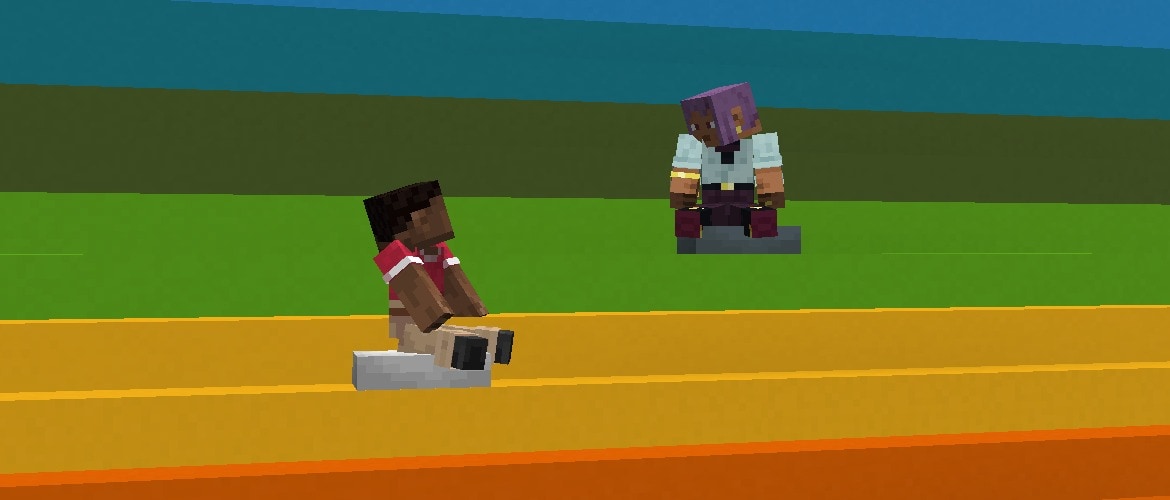
Step up your building and exploring with the final features entering testing! You can now find different maps in some abandoned camps and craft Concrete Stairs & Slabs in 16 colors. Out now in 26.3 Snapshot 7!
凭借进入快照的最终特性,让你的建筑与探索更上一层楼!你现在可以在一些废弃营地中找到不同的地图,并制作16种颜色的混凝土楼梯和台阶。现已在 26.3 Snapshot 7 中发布!
Happy exploring!
探索快乐!
NEW FEATURES
新特性
- Added Concrete Stairs and Concrete Slabs for all Concrete blocks
- 为所有混凝土方块添加了混凝土楼梯和混凝土台阶
- New Explorer Maps have been added to the Abandoned Camps
- 新的探险家地图已加入到废弃营地中
ABANDONED CAMP EXPLORER MAPS
废弃营地探险家地图
- Added maps showing the location of other Abandoned Camps in the following biomes:
- 加入了显示以下生物群系中其他废弃营地位置的地图:
- Bamboo Jungle
- 竹林
- Cherry Grove
- 樱花树林
- Birch Forest
- 桦木森林
- Dappled Forest
- 斑驳森林
- Flower Forest
- 繁花森林
- Pale Garden
- 苍白之园
- Swamp
- 沼泽
- Windswept Forest
- 风袭森林
- Added maps for the following structures:
- 为以下结构加入了地图:
- Ancient City
- 远古城市
- Trial Chambers
- 试炼密室
- Mineshaft
- 废弃矿井
- Desert Pyramid
- 沙漠神殿
- Jungle Pyramid
- 丛林神庙
- Warm Ocean Ruins
- Warm Ocean Ruins
- Woodland Mansion
- 林地府邸
CHANGES
更改
- Cushions no longer prevent vibrations when placed, broken or interacted with
- 坐垫在放置、破坏或交互时不再阻止振动
- Updated loot table for the Abandoned Camp Barrel
- 更新了废弃营地的战利品表
- Replaced Firework Rocket with Gunpowder in Abandoned Camp Chest loot table
- 将废弃营地的箱子战利品表中的烟花火箭替换为火药
- The player icon on maps have been updated to always show the direction the player is facing
- 更新了地图上的玩家指针纹理,现在始终显示玩家所面对的方向
- Added support for Realms to use additional server regions in Canada, Mexico, South Africa, and Arizona, USA if they become available in the future
- 加入了 Realms 对加拿大、墨西哥、南非和美国亚利桑那州额外服务器区域的支持,前提是这些区域将来可用
EXPLORER MAPS
探险地图
- Explorer Maps are now their own items instead of renamed Filled Maps, and each has its own icon:
- 探险家地图现在是独立的物品,而不是重命名的覆盖层地图,并且每个都有其自己的纹理:
- Ocean Explorer Map
- 海洋探险地家图
- Woodland Explorer Map
- 林地探险家地图
- Trial Explorer Map
- 试炼探险家地图
- Jungle Explorer Map
- 丛林探险家地图
- Swamp Explorer Map
- 沼泽探险家地图
- Desert Village Map
- 沙漠村庄地图
- Plains Village Map
- 平原村庄地图
- Savanna Village Map
- 热带草原村庄地图
- Snowy Village Map
- 雪原村庄地图
- Taiga Village Map
- 针叶林村庄地图
- Buried Treasure Map
- 藏宝图
- Ancient City Map
- 远古城市地图
- Mineshaft Map
- Mineshaft Map
- Desert Pyramid Map
- 沙漠神殿地图
- Abandoned Campsite Map
- 废弃营地地图
- Warm Ocean Ruins Map
- Warm Ocean Ruins Map
- Map and Empty Map have new icons
- 地图和空地图有了新图标
- These items cannot be obtained from the Creative inventory
- 这些物品无法从创造模式物品栏中获得
- Existing Explorer Maps in old worlds are converted to the matching new item on load
- 旧世界中的现有探险家地图将在加载时转换为其匹配的新物品
- Explorer Maps can still be cloned in a Crafting Table, and the copies keep their own item type
- 探险家地图仍然可以在工作台中复制,并且复制品会保留它们自己的物品类型
- Explorer Maps and Buried Treasure Maps can no longer be zoomed out, neither in a Crafting Table nor at a Cartography Table
- 探险家地图和藏宝图不再能够被缩小,无论是在工作台还是在制图台中都不行
- Buried Treasure Maps could previously be zoomed out at both
- 藏宝图以前可以比例缩小
- Explorer Maps could previously be zoomed out at a Cartography Table
- 探险家地图以前可以在制图台处比例缩小
- Only maps in the #minecraft:extendable_maps tag can be zoomed out
- 只有 #minecraft:extendable_maps 标签中的地图才能被比例缩小
TECHNICAL CHANGES
技术性更改
- The Data Pack version is now 115.0
- 将数据包版本号更改为 115.0
- The Resource Pack version is now 95.0
- 将资源包版本号更改为 95.0
- level.dat now contains a version_history list with prior data versions of the file
- level.dat 现在包含一个 version_history 列表,其中包含该文件的先前数据版本
DATA PACK VERSION 115.0
数据包版本 115.0
- The following Block State fields has been renamed
- 重命名了以下方块状态字段
- Name is now id
- Name 现为 id
- Properties is now properties
- Properties 现为 properties
- The default Block State of a Block can now be referred to in a compact form directly by the Block id
- 方块的默认方块状态现在可以通过方块ID以紧凑形式直接引用
- minecraft:exploration_map no longer changes the type of the item it is applied to
- minecraft:exploration_map 不再改变所应用物品的类型
COMMANDS
命令
CHANGES TO SWING
更改了 SWING
- When used on a player, the player's attack strength will no longer be reset
- 当对玩家应用时,玩家的攻击力将不再被重置
- Added a new optional argument to set the swing animation to play
- 加入了一个新的可选参数来设置要播放的挥臂动画
- Allowed values: whack, stab
- 允许的值: whack, stab
- If omitted, defaults to whack
- 如果省略,则默认为 whack
- Added a new argument to set the duration of the swing animation, if provided
- 加入了一个新参数,若提供则用于设置挥臂动画的持续时间
- Format: positive time value (by default in ticks)
- 格式:正的时间值(以游戏刻为单位)
- If omitted, defaults to 6t
- 如果省略,则默认为 6t
DATA COMPONENTS
数据组件
ADDED MINECRAFT:ATTACK_ANIMATION
加入了 MINECRAFT:ATTACK_ANIMATION
- The animation to play when the item is being used to attack something
- 当物品被用于攻击某物时播放的动画
- Format: object with fields:
- 格式:包含字段的对象:
- type - swing animation type, one of whack or stab
- type - 挥动动画类型,whack 或 stab 之一
- duration - positive integer, the length of the animation in ticks
- duration - 正整数,动画的持续时长(以游戏刻为单位)
ADDED MINECRAFT:INTERACT_ANIMATION
加入了 MINECRAFT:INTERACT_ANIMATION
- The animation to play when the item is being used to interact with something
- 物品被用于与某物交互时播放的动画
- Format: Same as minecraft:attack_animation
- 格式:与 minecraft:attack_animation 相同
REMOVED MINECRAFT:SWING_ANIMATION
移除了 MINECRAFT:SWING_ANIMATION
- This has been replaced by minecraft:attack_animation and minecraft:interact_animation
- 已被替换为 minecraft:attack_animation 和 minecraft:interact_animation
- The none swing animation type has been removed
- 移除了 none 摆动动画类型
- Existing items in the world will be migrated to using the default whack
- 世界中的现有物品将被迁移为使用默认的 whack
- Setting both of these new components to the same value will be functionally identical to the old component, except for:
- 将这两个新组件都设置为相同值,在功能上将与旧组件相同,除了:
- The /swing command - animation type now specified by the command
- /swing 命令 - 动画类型现在由命令指定
- Items being dropped by entities
- 实体掉落的物品
REMOVED MINECRAFT:MAP_COLOR
移除了 MINECRAFT:MAP_COLOR
- Maps are no longer drawn as a tinted overlay, so there is nothing left for the color to apply to
- 地图不再绘制为着色覆盖层,因此颜色没有可应用之处
- Existing maps have the component stripped on load
- 现有地图在加载时该组件会被去除
- See the Resource Pack section for the matching removal of the minecraft:map_color tint source
- 查看资源包部分以了解对应移除的 minecraft:map_color 着色来源
LOOT FUNCTIONS
战利品函数
CHANGED MINECRAFT:EXPLORATION_MAP
更改了 MINECRAFT:EXPLORATION_MAP
- The map_color field has now been removed
- 移除了 map_color 字段
- The function no longer changes the type of the item it is applied to - it now only adds map data to the existing item
- 该函数不再改变其应用到的物品的类型 - 它现在只向现有物品添加地图数据
- Previously it required a minecraft:map and produced a minecraft:filled_map
- 之前它需要一个 minecraft:map 并生成一个 minecraft:filled_map
- The item to produce is now chosen by the loot entry or villager trade itself, so a data pack that produced exploration maps has to change its item from minecraft:map to minecraft:filled_map (or one of the explorer map items)
- 要生成的物品现在由战利品表或村民交易本身选择,因此,生成探险家地图的数据包必须将其物品从 minecraft:map 改为 minecraft:filled_map(或某个探险家地图物品)
- If no matching structure is found, the item is left without a minecraft:map_id - use minecraft:filtered with minecraft:discard_item to drop those, as the vanilla loot tables and villager trades now do
- 如果没有找到匹配的结构,物品不会带有 minecraft:map_id - 使用 minecraft:filtered 和 minecraft:discard_item 来丢弃这些物品,正如原版战利品表和村民交易现在所做的那样
DENSITY FUNCTIONS
密度函数
- Density Functions and noises are no longer evaluated with double-precision floating point values, but instead with single-precision
- 密度函数和噪声不再以双精度浮点数计算,而是以单精度浮点数计算
- This affects all intermediate steps, not just the final result
- 这会影响所有中间步骤,而不仅仅是最终结果
Developer's Note: _We are aware that the details of floating point rounding have been used in some Data Packs, and this change may affect specific configurations. We have introduced alternatives for the use-cases that we are aware of, but please do share with us on feedback.minecraft.net or in the feedback Discord if you encounter use-cases that are no longer possible to support.
开发者说明:_我们已意识到浮点舍入的细节已被一些数据包使用,这一更改可能会影响特定配置。我们已为已知的用例引入了替代方案,但如果您遇到不再支持的用例,请通过 feedback.minecraft.net 或 反馈 Discord 与我们分享。
TAGS
标签
BLOCK TAGS
方块标签
- Added #concrete_stairs - All Concrete Stairs blocks
- 加入了 #concrete_stairs - 所有混凝土楼梯方块
- Added #concrete_slabs - All Concrete Slabs blocks
- 加入了 #concrete_slabs - 所有混凝土台阶方块
ITEM TAGS
物品标签
- Added #concrete_stairs - All Concrete Stairs items
- 加入了 #concrete_stairs - 所有混凝土楼梯物品
- Added #concrete_slabs - All Concrete Slabs items
- 加入了 #concrete_slabs - 所有混凝土台阶物品
- Added #cloneable_maps - Filled Map plus all Explorer Map items and Buried Treasure Maps, used as the input to the map_cloning recipe
- 加入了 #cloneable_maps - 覆盖层地图以及所有探险家地图物品和藏宝图,用于 map_cloning 配方的输入
- Added #extendable_maps - maps that can be zoomed out with paper, either in a Crafting Table or at a Cartography Table
- 加入了 #extendable_maps - 可以用纸缩放的地图,无论是在工作台还是在制图台
RESOURCE PACK VERSION 95.0
资源包版本 95.0
ITEM SPRITES
物品精灵图
- Removed item/filled_map_markings.png
- 移除了 item/filled_map_markings.png
MAP SPRITES
地图精灵图
- Added new Map textures:
- 加入了新的地图纹理:
- abandoned_camp.png
- abandoned_camp.png
- ancient_city.png
- ancient_city.png
- desert_pyramid.png
- desert_pyramid.png
- mineshaft.png
- mineshaft.png
- warm_ocean_ruins.png
- warm_ocean_ruins.png
- The following Icons have been updated in order to show player rotation on the map:
- 更新了以下图标,以便在地图上显示玩家旋转:
- /player.png
- /player.png
- /player_off_limits.png
- /player_off_limits.png
- /player_off_map.png
- /player_off_map.png
ITEM MODELS
物品模型
TINT SOURCES
着色来源
- Removed minecraft:map_color
- 移除了 minecraft:map_color
- The minecraft:map_color component it read no longer exists
- 它读取的 minecraft:map_color 组件不再存在
ORDER-INDEPENDENT TRANSPARENCY (OIT)-RELATED SHADER CHANGES
顺序无关透明算法(OIT)相关的着色器更改
Renamed defines:
重命名了以下定义:
- OIT_WAVELET_RANK - was previously WAVELET_RANK
- OIT_WAVELET_RANK - 之前为 WAVELET_RANK
- OIT_COEFF_COUNT - was previously COEFF_COUNT
- OIT_COEFF_COUNT - 之前为 COEFF_COUNT
- OIT_COEFF_ATTACHMENT_COUNT - was previously COEFF_ATTACHMENT_COUNT
- OIT_COEFF_ATTACHMENT_COUNT - 之前为 COEFF_ATTACHMENT_COUNT
FIXED BUGS IN 26.3 SNAPSHOT 7
26.3 SNAPSHOT 7 修复的漏洞
- MC-121375 - The Command (⌘) key on macOS is displayed as "Win" in the key binds screen
- MC-121375 - macOS 系统上的Command (⌘)键在按键绑定屏幕中显示为 “Win”
- MC-189953 - The Super key on macOS is displayed as "Win" in the key binds screen
- MC-189953 - macOS 系统上的 Super 键在键位绑定屏幕中显示为 “Win”
- MC-218156 - Shipwrecks and ocean ruins can generate with empty buried treasure maps
- MC-218156 - 沉船和海底废墟可能会生成空藏宝图
- MC-276079 - Sending a swing packet to the client causes it to send one back to the server
- MC-276079 - 向客户端发送挥臂数据包会导致其向服务器发回一个数据包
- MC-302271 - Sniffers stop sniffing after relog
- MC-302271 - 嗅探兽在重新进入世界后停止嗅探
- MC-302661 - Interacting with something while holding spears plays the spear jab animation
- MC-302661 - 手持矛与某物互动会播放矛的戳刺动画
- MC-302687 - Throwing items out of your inventory while holding spears plays the spear jab animation
- MC-302687 - 手持矛时将物品从物品栏中扔出会播放矛的戳刺动画
- MC-302705 - Having a spear in the main hand affects the hand animation speed for items held in the off hand
- MC-302705 - 主手持矛会影响副手持物品的动画速度
- MC-304213 - Zombies, husks and drowned hold out the incorrect arm when holding spears
- MC-304213 - 僵尸、尸壳和溺尸手持矛时会伸出错误的手
- MC-304920 - Spears in third person look wrong when the left hand is the main hand
- MC-304920 - 当左手是主手时,第三人称视角下的矛看起来不正确
- MC-309644 - Some textures of geyser plume particles still use inconsistent colors
- MC-309644 - 一些间歇泉喷发粒子的纹理仍然使用不一致的颜色
- MC-309671 - Shelf mushrooms still use the wrong sounds
- MC-309671 - 层孔菇仍然使用错误的声音
- MC-309679 - Cushions can be used to see through blocks
- MC-309679 - 坐垫可用于透视方块
- MC-309732 - The straw_bed_head block model is stored in two directories
- MC-309732 - straw_bed_head 方块模型存储在两个目录中
- MC-309797 - Cushions can be placed inside full blocks when the player's head intersects them
- MC-309797 - 当玩家的头部与完整方块相交时,可以将坐垫放置在完整方块之间
- MC-309875 - New translations for the tooltip of the "Improved Transparency" option are wrongly backported
- MC-309875 - “改进透明显示” 选项的提示框提示的新翻译被错误地移植
- MC-309931 - Placed cushions face inconsistent directions
- MC-309931 - 放置的坐垫朝向不一致
- MC-310057 - Pressing the "Advancements" key bind while its menu was opened from the pause menu closes both menus
- MC-310057 - 当通过暂停菜单打开“进度”键绑定菜单时,按下该键绑定会同时关闭两个菜单
- MC-310062 - Armadillos do not follow players holding spider eyes
- MC-310062 - 犰狳不会跟随手持蜘蛛眼的玩家
- MC-310094 - The decimal point keypad key is displayed as "key.keyboard.99" in the key binds menu
- MC-310094 - 小键盘小数点键在按键绑定屏幕显示为 "key.keyboard.99"
- MC-310105 - The Menu key is displayed as "key.keyboard.101" in the key binds menu
- MC-310105 - Menu 键在按键绑定屏幕中显示为 "key.keyboard.101"
- MC-310109 - The keypad plus-or-minus key is still not prefixed with "Keypad"
- MC-310109 - 小键盘加号/减号键仍未以 “小键盘” 作为前缀
- MC-310110 - The keypad left and right parentheses keys are still not prefixed with "Keypad"
- MC-310110 - 小键盘左括号/右括号键仍未以 “小键盘” 作为前缀
- MC-310112 - Using a Nether portal in Spectator mode while spectating an entity teleports the player to the incorrect location
- MC-310112 - 在旁观模式下旁观实体视角时,使用下界传送门会将玩家传送至错误的位置
- MC-310118 - Pressing Windows+D to minimize all windows makes the game no longer visually update with the Vulkan rendering backend
- MC-310118 - 按下 Windows+D 最小化所有窗口会使游戏在 Vulkan 渲染后端下不再视觉更新
- MC-310337 - The game log outputs the incorrect minimum format version requiring the pack_format field in pack.mcmeta
- MC-310337 - 游戏日志输出的 pack.mcmeta 所需的 pack_format 字段的最低版本显示不正确
- MC-310358 - The conditions for depthBiasEnable differ between OpenGL and Vulkan
- MC-310358 - depthBiasEnable 的启用条件在 OpenGL 与 Vulkan 之间存在差异
- MC-310529 - The World Options menu UI breaks when resizing the game window
- MC-310529 - 调整游戏窗口大小时,世界选项菜单屏幕会崩溃
- MC-310532 - Trying to lock the difficulty of the world resets the difficulty
- MC-310532 - 尝试锁定世界难度会重置难度
- MC-310536 - The category headers in the World Options screen are formatted inconsistently with other settings screens
- MC-310536 - 世界选项菜单屏幕中的分类标题与其他设置菜单屏幕的格式不一致
- MC-310550 - Command+W on macOS now closes the window
- MC-310550 - 在 macOS 系统上按 Command+W 现在会关闭窗口
- MC-310553 - The campsite_wooded_badlands_4 and campsite_swamp_2 abandoned camp structures contain overlapping cushions
- MC-310553 - campsite_wooded_badlands_4 和 campsite_swamp_2 废弃营地结构包含重叠的坐垫
- MC-310556 - Pressing Alt+F4 closes the game window on kwin_wayland even when the "Quit Shortcuts" option is disabled
- MC-310556 - 即使在 kwin_wayland 上禁用了“退出游戏快捷键”选项,按下 Alt+F4 也会关闭游戏窗口。
- MC-310590 - Adding the entity_outline post effect to the player, restarting the game, and entering the same world causes the game to crash
- MC-310590 - 为玩家添加 entity_outline 后处理效果后,重新启动游戏并进入同一世界会导致游戏崩溃
- MC-310595 - The Option key on macOS is displayed as "Alt" in the key binds screen
- MC-310595 - 在 macOS 系统上,Option 键在键位绑定屏幕中显示为 “Alt”
- MC-310610 - Several abandoned camp structures contain underwater oxidized copper chests that are not waterlogged
- MC-310610 - 几个废弃营地结构包含不含水的氧化的铜箱子

【mxy333 译自Java Team 2026 年 8 月 4 日发布的 Minecraft 26.3 Snapshot 7】
【本文排版借助了:SPXXKLP 用户脚本 v3.2.7】
Powered by SPXXKLP 3.2.7 with love
Converted at 2026-08-06 02:12 +0800
|想了解更多游戏资讯?
|


 发表于 2026-8-6 18:06:15
 提升卡
提升卡 观察者
观察者