|Minecraft Java 版是指 Windows、Mac OS 与 Linux 平台上,使用 Java 语言开发的 Minecraft 版本。
|每周快照是 Minecraft Java 版的测试机制,主要用于下一个正式版的特性预览。
|然而,每周快照主要用于新特性展示,通常存在大量漏洞。因此对于普通玩家建议仅做测试尝鲜用。在快照中打开存档前请务必进行备份。适用于正式版的 Mod 不兼容快照,且大多数 Mod 都不对每周快照提供支持。
|Minecraft Java 版 26.3 仍未发布,26.3-snapshot6 为其第 6 个快照。
|本文内容按照 CC BY-NC-SA 4.0 协议进行授权,转载本帖时须注明原作者以及本帖地址。
 NEWS NEWS
Minecraft 26.3 Snapshot 6
Minecraft 26.3 Snapshot 6
A Minecraft Java Snapshot
Minecraft Java版 快照
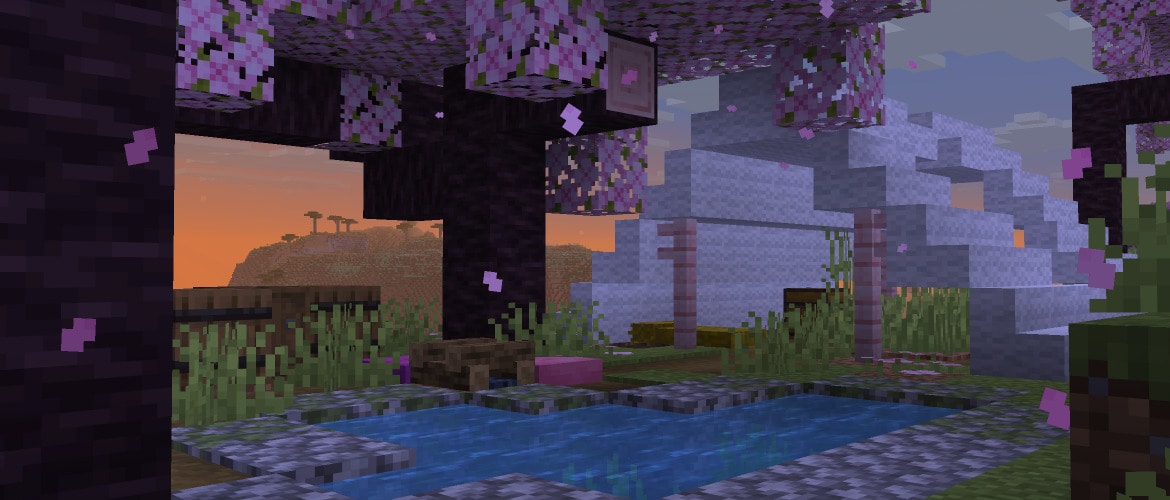
It's yet another Tuesday, and it seems that we've officially run out of quippy snapshot intros until the next delivery. Anyway, here's Snapshot 6, bringing some tweaks and improvements to the Abandoned Camp, a new World Options UI, as well as changing up how terrain is rendered.
又是一个星期二,看来我们已经正式用完了下一批快照发布前的俏皮引言。总之,这里是 Snapshot 6,为废弃营地带来了一些调整和改进,加入了世界选项界面,以及改变了地形的渲染方式
Happy camping!
露营快乐!
CHANGES
更改
- Added a new Abandoned Camp campsite variant for each biome
- 为每个生物群系加入了一种新的废弃营地变种
- Minor tweaks to Abandoned Camp structures
- 对废弃营地的结构进行了细微调整
UI
UI
- Fixed an issue where Realm owners could not select automatic region preference as their Realm region
- 修复了 Realm 所有者无法将自动区域偏好选择为其 Realm 区域的问题
WORLD OPTIONS
世界选项
- The World Options button has been moved to where the Open to Lan button used to be, accessible from the pause menu
- “世界选项“ 按钮已移动到原本 “对局域网开放” 按钮的位置,可从暂停菜单访问
- The World Options screen is divided into two sections: "General" and "Multiplayer"
- “世界选项” 屏幕现在分为两个部分:“常规” 和 “多人游戏”
- The "General" section contains the same options as the previous World Options screen
- “常规” 部分包含与之前 “世界选项” 屏幕相同的选项
- The "Multiplayer" section contains three options:
- “多人游戏” 部分包含三个选项:
- LAN: changes the multiplayer scope of the world
- 局域网:更改世界的多人游戏范围
- Command Access: Controls whether players that join your world can use commands or not
- 命令使用权限:控制加入你的世界的玩家能否使用命令
- Port: the port number to use when opening the world to LAN
- 端口号:将世界开放到局域网时使用的端口号
- The Online button used to access the Online Options screen will now always be shown in the Options menu
- 用于访问在线选项屏幕的 “在线选项...” 按钮现在将始终显示在选项菜单中。
TECHNICAL CHANGES
技术性更改
- The Data Pack version is now 113.0
- 将数据包版本号更改为 113.0
- The Resource Pack version is now 94.0
- 将资源包版本号更改为 94.0
- Terrain blocks are now rendered with MultiDrawIndirect on supported devices
- 地形方块现在在支持的设备上使用 MultiDrawIndirect 渲染
DATA PACK VERSION 113.0
数据包版本 113.0
COMMANDS
命令
CHANGES TO PUBLISH
对 PUBLISH 的更改
- The gamemode argument has been removed
- 移除了 gamemode 参数
- Instead, the default game mode of the world should be set using the defaultgamemode command or the Game Mode button in the World Options screen, while player-specific game modes should be set using the gamemode command
- 相反,世界的默认游戏模式应使用 defaultgamemode 命令或 “世界选项” 屏幕中的游戏模式按钮来设置,而玩家特定的游戏模式则应使用 gamemode 命令
DATA COMPONENTS
数据组件
CHANGED MINECRAFT:COOKING_FUEL
更改了 MINECRAFT:COOKING_FUEL
- burn_time and speed_multiplier can now additionally be defined by an inline number
- burn_time 和 speed_multiplier 现在还可以通过内联常量来定义
CHANGED MINECRAFT:BREWING_FUEL
更改了 MINECRAFT:BREWING_FUEL
- uses and speed_multiplier can now additionally be defined by an inline number
- uses 和 speed_multiplier 现在还可以通过内联常量来定义
CHANGED MINECRAFT:COMPOSTABLE
更改了 MINECRAFT:COMPOSTABLE
- layers can now additionally be defined by an inline number
- layers 现在还可以通过内联常量来定义
ENTITY DATA
实体数据
- Added invulnerable_time tag which makes a mob temporarily invulnerable for a specific number of ticks
- 加入了 invulnerable_time 标签,该标签使生物在特定数量的游戏刻内暂时无敌
LOOT TABLE TYPES
战利品表类型
CHANGED MINECRAFT:BLOCK_INTERACT
更改了 MINECRAFT:BLOCK_INTERACT
- origin is now available in context, as the center of the block being interacted with
- origin 现在可以在上下文中使用,作为被交互方块的中心
WORLD GENERATION
世界生成
NOISES
噪声
The format of Noises (defined in the worldgen/noise registry, or inline in noise-based Block State Providers) has been updated.
更新了噪声的格式(在 worldgen/noise 注册表中定义,或内联在基于噪声的方块状态提供器中)。
Noises define a fractal Brownian motion (fBm) configuration with the following properties:
噪声定义了一种分形布朗运动(fBm)配置,具有以下属性:
- Produces output values (approximately) fitting a normal distribution
- 产生(近似)符合正态分布的输出值
- Unless otherwise specified, fits the output amplitude to [-1; 1]
- 除非另有说明,否则将输出振幅拟合到 [-1; 1]
- Due to the normal distribution, in practice this means that 99.7% of all samples will fit in that range - but values may still be encountered outside of this range
- 由于正态分布,实际上这意味着所有样本的99.7%将落在该范围内——但在此范围之外仍可能遇到值
- Parameterized by persistence=0.5, lacunarity=2.0
- 由 persistence=0.5, lacunarity=2.0 参数化
- i.e. between each octave, the amplitude is halved and the frequency doubled
- 即,在每个倍频程之间,振幅减半,频率加倍
- Has stable seeding such that an octave can be boosted, muted, or added without affecting the rest of the octaves
- 具有稳定的种子设定,使得一个倍频程可以被增强、静音或添加,而不影响其余倍频程
- Renamed firstOctave to base_octave
- 将firstOctave重命名为base_octave
- Added base_amplitude - non-negative float, a scale factor to apply to the noise output
- 加入了 base_amplitude - 非负浮点数,应用于噪声输出的缩放因子
- If not specified, defaults to 1.0
- 如果未指定,默认为1.0
- Added octave_count - integer between 1 and 32, the number of octaves to sample
- 添加了 octave_count - 介于1到32之间的整数,即要采样的倍频程数量
- Added normalize - boolean, or "legacy", controls how the output amplitude should be normalized
- 加入了 normalize - 布尔值,或 "legacy",控制输出振幅的归一化方式
- If true, base_amplitude is the expected amplitude of the output (i.e. 99.7% of all samples in [-base_amplitude; base_amplitude])
- 如果 true, base_amplitude 是输出的预期振幅(即99.7%的样本落在 [-base_amplitude; base_amplitude])
- If false, base_amplitude is the amplitude of the first octave
- 如果 false, base_amplitude 是第一个倍频程的振幅
- If "legacy", inherits the same normalization behavior as expressed by the previous format
- 如果为 "legacy",则继承与先前格式所表达的相同的规范化行为
- This would generally fit to a range smaller than expected
- 这通常适合比预期更小的范围
- If not specified, defaults to true
- 如果未指定,默认为true
- Note: normalization is not affected by the amplitude_modifiers field - as such, modifying the amplitude of a single octave will not affect the amplitude of others
- 注意:归一化不受 amplitude_modifiers 字段的影响——因此,修改单个倍频程的振幅不会影响其他倍频程的振幅
- Renamed amplitudes to amplitude_modifiers - list of floats, a scaling factor to apply to each octave
- 将amplitudes重命名为amplitude_modifiers - 浮点数列表,一个应用于每个倍频程的缩放因子
- The number of elements in this list must match octave_count
- 此列表中的元素数量必须与 octave_count 匹配
- As described above, this scaling factor bypasses normalization and will affect the output amplitude
- 如上所述,该缩放因子绕过了归一化,并会影响输出振幅
- This field is no longer required - if not specified, defaults to all 1.0
- 此字段不再是必填项 - 如果未指定,则默认为全部 1.0
DENSITY FUNCTIONS
密度函数
ADDED POW
加入了 POW
Raises the given base value to an exponent.
将给定的基数值求幂。
Format: object with fields:
格式:包含以下字段的对象:
- base - Density Function, the base value
- base - 密度函数,基础值
- exponent - Density Function, the exponent
- exponent - 密度函数,指数
ADDED SQRT
加入了 SQRT
Computes the square root of the given input.
计算给定输入的平方根。
Format: object with fields:
格式:对象包含字段:
- input - Density Function, the value for which to compute the square root
- input - 密度函数,用于计算平方根的值
ADDED LOG
加入了 LOG
Computes the natural logarithm of the given input.
计算给定输入的自然对数。
Format: object with fields:
格式:带字段的对象:
- input - Density Function, the value for which to compute the natural logarithm
- input - 密度函数,用于计算自然对数的值
ADDED SIGN
加入了 SIGN
Computes the sign of the input:
计算输入的符号:
- If the input is positive, returns 1
- 如果输入为正,则返回1
- If the input is 0, returns 0
- 如果输入为0,返回0
- If input is negative, returns -1
- 如果输入为负数,则返回 -1
Format: object with fields:
格式:包含字段的对象:
- input - Density Function, the value of which to compute the sign
- input - 密度函数,用于计算符号的值
ADDED DISTANCE_TO_POINT
加入了 DISTANCE_TO_POINT
Computes the distance to a fixed point using the specified distance function.
使用指定的距离函数计算到固定点的距离。
Format: object with fields:
格式:包含字段的对象:
- point - array of 3 integers in form [x, y, z], the point to compute distance to
- point - 由三个整数组成的数组,形式为 [x, y, z],用于计算距离的点
- metric - one of:
- metric - 以下之一:
- euclidean - i.e. sqrt(dx^2 + dy^2 + dz^2)
- euclidean - 即 sqrt(dx^2 + dy^2 + dz^2)
- euclidean_squared - i.e. dx^2 + dy^2 + dz^2
- euclidean_squared - 即 dx^2 + dy^2 + dz^2
- manhattan - i.e. abs(dx) + abs(dy) + abs(dz)
- manhattan - 即 abs(dx) + abs(dy) + abs(dz)
- chebyshev - i.e. max(abs(dx), abs(dy), abs(dz))
- chebyshev - 即 max(abs(dx), abs(dy), abs(dz))
UPDATED GRADIENT (RENAMED FROM Y_CLAMPED_GRADIENT)
更新了 GRADIENT(由 Y_CLAMPED_GRADIENT 重命名而来)
Format: object with fields:
格式:包含字段的对象:
- axis - x, y, or z, the axis over which to define this gradient
- axis - x, y, 或 z, 用于定义梯度的坐标轴
- tiling - one of:
- tiling - 以下之一:
- clamp_to_edge - outside the gradient boundaries, the value at the nearest boundary will be used
- clamp_to_edge - 在梯度边界之外,将使用最近边界处的值
- repeat - the gradient will be repeated outside its boundaries
- repeat - 梯度将在其边界之外重复
- mirrored_repeat - the gradient will be repeated such that odd repetitions are mirrored, ensuring continuity between repetitions
- mirrored_repeat - 梯度将重复,使得奇数次重复被镜像,确保重复之间的连续性
- from_coordinate - int, the coordinate at which the gradient starts
- from_coordinate - 整数,梯度的起始坐标
- to_coordinate - int, the coordinate at which the gradient ends
- to_coordinate - 整数,梯度的结束坐标
- Must not be equal to from_coordinate
- 不得等于 from_coordinate
- from_value - float, the value at which the gradient starts
- from_value - 浮点数,梯度的起始值
- to_value - float, the value at which the gradient ends
- to_value - 浮点数, 梯度的结束值
ADDED SLICE
加入了 SLICE
Removes a dimension from the input domain by taking a "slice" along an axis with a specific coordinate. For example, with axis=y and coordinate=0, a slice will be taken along the XZ plane, with all values sampled at y=0 .
从输入域中移除一个维度,方法是沿特定坐标的轴进行“切片”。例如,使用 axis=y 和 coordinate=0 时,将沿 XZ 平面进行切片,所有值均采样于 y=0。
Format: object with fields:
格式:带有字段的对象:
- axis - x, y, or z, the axis to remove
- axis - x、y 或 z,要移除的坐标轴
- coordinate - int, the fixed coordinate to be passed to the input function
- coordinate - 整数, 传递给输入函数的固定坐标
- input - Density Function, the input function
- input - 密度函数,输入函数
CHANGED END_OUTER_ISLANDS
更改了 END_OUTER_ISLANDS
Renamed from end_islands . No longer computes the density of the main island.
重命名自 end_islands。不再计算主岛的密度。
STRUCTURE POOL ELEMENTS
模板池
CHANGED MINECRAFT:FEATURE_POOL_ELEMENT
更改了 MINECRAFT:FEATURE_POOL_ELEMENT
- Can now connect to Jigsaw blocks with any target name, instead of just minecraft:bottom
- 现在可以连接到任何目标名称的拼图方块,而不仅仅是 minecraft:bottom
RESOURCE PACK VERSION 94.0
资源包版本 94.0
SHADERS & POST-PROCESS EFFECTS
着色器与后处理管线
- terrain.vsh and terrain.fsh shaders are refactored to support multi-draw
- terrain.vsh 和 terrain.fsh 着色器已重构以支持 muti-draw
- Some of the members in Globals and DynamicTransforms are shuffled to use less memory for those uniform blocks
- Globals和DynamicTransforms中的一些成员被重新排列,以减少 uniform 块的内存使用
- Introduced new define: RENDERPEARL_EXPLICIT_DEPTH_INVARIANCE - If present, indicates that an OIT shader should explicitly output a depth value because a device it is running on can produce a slightly different implicit value
- 引入了新的定义:RENDERPEARL_EXPLICIT_DEPTH_INVARIANCE - 如果存在,表示OIT着色器应显式输出深度值,因为运行它的设备可能产生略有不同的隐式值
EQUIPMENT ASSETS
装备资产
The trim_palette_replacements field has been replaced with trim_overrides . This can be used to swap out the texture or palette used with specific trim materials or patterns for a given equipment asset, not just swap specific palettes.
trim_palette_replacements 字段已替换为 trim_overrides。这可用于为给定的装备物品替换特定纹饰材料或图案所使用的纹理或调色板,而不仅仅是替换特定的调色板。
- Format: list of override entries with fields:
- 格式:覆写条目列表,包含字段:
- when - object with fields, the material and/or pattern to match
- when - 具有字段的对象,要匹配的材料和/或团
- material - optional Trim Material ID, the material to match (if specified)
- material - 可选纹饰材料ID,要匹配的材料(如果指定)
- pattern - optional Trim Pattern ID, the pattern to match (if specified)
- pattern - 可选的纹饰模板ID,要匹配的纹饰(如果指定)
- Note: this is not the palette ID, as trim_palette_replacements used to be!
注意:这不是调色板ID,因为trim_palette_replacements曾经是!
- At least one of material or pattern must be specified
- 必须指定 material 或 pattern 中的至少一个
- If both are specified, both must match for the entry to be used
- 如果两者都指定,则必须两者都匹配才能使用该条目
- texture - optional trim pattern asset ID, a replacement texture to use if this entry matches
- texture - 可选的纹饰图案资产ID,如果此条目匹配,则使用的替换纹理
- Textures are specified in the same format as asset_id
- 纹理以与 asset_id 相同的格式指定
- If not specified, the default texture for the pattern will be used
- 如果未指定,则将使用图案的默认纹理
- palette - optional palette ID, a replacement palette to use if this entry matches
- palette - 可选的调色板ID,如果此条目匹配则使用的替换调色板
- If not specified, no palette remapping will be applied to the texture
- 如果未指定,则不会对纹理应用调色板重映射
- The first matching entry will always be selected
- 第一个匹配的条目将始终被选中
- At least one of texture or palette must be defined
- 必须指定 texture 或 palette 中的至少一个
FIXED BUGS IN 26.3 SNAPSHOT 6
26.3 SNAPSHOT 6 修复的漏洞
- MC-299582 - Special crafting recipes behave differently than other recipe types with /recipe and the limited_crafting game rule
- MC-299582 - 特殊合成配方在使用 /recipe 和 limited_crafting 游戏规则时,与其他配方类型的行为不同
- MC-304195 - The arm overlay textures of parched have unused pixels not used by the model
- MC-304195 - 焦骸的手臂的覆盖层纹理包含模型未使用的像素
- MC-307206 - Std140Builder incorrectly pads vec3s and ivec3s
- MC-307206 - Std140Builder 错误地填充了 vec3s 和 ivec3s
- MC-307996 - The game cannot use hardware acceleration on devices lacking the fillModeNonSolid Vulkan feature
- MC-307996 - 游戏无法在缺少 fillModeNonSolid Vulkan 功能的设备上使用硬件加速
- MC-308694 - Using /defaultgamemode changes everyone's game mode to the one set in "Settings for Other Players" in LAN worlds
- MC-308694 - 在局域网世界中,使用 /defaultgamemode 会将每个人的游戏模式改为“对其他玩家的设置”中所设置的游戏模式
- MC-308699 - Switching the host's game mode causes new LAN players to ignore the forced game mode
- MC-308699 - 切换房主的游戏模式会导致新的局域网玩家忽略强制的游戏模式
- MC-308749 - Exiting and rejoining the same LAN session resets your game mode
- MC-308749 - 退出并重新加入同一个局域网会话会重置你的游戏模式
- MC-309720 - The texture of straw beds has missing and extra pixels
- MC-309720 - 麦秆床的纹理存在缺失和多余的像素
- MC-309958 - Off-by-one error in SynchedEntityData.Builder#define
- MC-309958 - 差一错误位于 SynchedEntityData.Builder#define
- MC-310088 - The taskbar icon displays the Java logo instead of the game's logo
- MC-310088 - 任务栏图标显示了 Java 图标而不是游戏图标
- MC-310099 - The game freezes if the head part of straw beds has a different facing than the foot part
- MC-310099 - 如果麦秆床的头部与尾部朝向不同,游戏会卡死
- MC-310101 - Command+W now closes the game on macOS
- MC-310101 - Command+W 现在在 macOS 系统上会关闭游戏
- MC-310122 - Traversing the pie chart with keys does not work correctly
- MC-310122 - 使用键盘遍历饼图无法正常工作
- MC-310132 - Armor trim textures can no longer be overridden
- MC-310132 - 盔甲纹饰纹理无法再被覆盖
- MC-310134 - The "Exclusive Fullscreen" button and "Exclusive Fullscreen Mode" slider are still present and enabled on macOS
- MC-310134 - “独占全屏”按钮和“独占全屏模式”滑块仍然存在并可在 macOS 系统上使用
- MC-310136 - Player skin rendering is messed up when the "Improved Transparency" setting is enabled
- MC-310136 - 当启用“改进透明显示”设置时,玩家皮肤渲染会出现问题
- MC-310143 - IME candidates are invisible in fullscreen mode even when the "Exclusive Fullscreen" option is disabled
- MC-310143 - 即使禁用了“独占全屏”选项,输入法候选词在全屏模式下仍不可见
- MC-310155 - After entering macOS fullscreen by clicking the "Fullscreen" button in the Video Settings menu, you cannot reveal the menu bar or dock by navigating to the edge of the screen
- MC-310155 - 在视频设置屏幕中点击“全屏”按钮进入 macOS 系统全屏后,你无法通过将鼠标移到屏幕边缘来显示菜单栏或程序坞
- MC-310168 - When editing a glowing sign, the glow on the placed sign temporarily disappears
- MC-310168 - 当编辑发光的告示牌时,已放置的告示牌上的发光效果会暂时消失
- MC-310195 - Control+Left click no longer counts as a right click on macOS
- MC-310195 - 在 macOS 系统上,Control+左键单击 不再计为 右键单击
- MC-310213 - On-screen keyboard handling is inconsistent
- MC-310213 - 屏幕键盘处理不一致
- MC-310228 - The game freezes when a player destroys a bed at the exact same moment a villager sleeps in it
- MC-310228 - 当玩家在村民入睡的同一瞬间破坏床时,游戏会卡死
- MC-310235 - The game crashes when a piston pushes a water cauldron with the "Improved Transparency" option enabled
- MC-310235 - 当活塞推动装有水的炼药锅时,如果启用了“改进透明显示”选项,游戏会崩溃
- MC-310241 - Brewing recipes show up in the command suggestions for /recipe, but cannot be granted or revoked
- MC-310241 - 酿造配方会出现在 /recipe 的命令补全建议中,但无法被授予或撤销
- MC-310281 - Using keyboard shortcuts to navigate tabs within UIs doesn't work correctly
- MC-310281 - 使用键盘快捷键在 UI 中导航标签页无法正常工作
- MC-310311 - Item modifiers that reference themselves crash the game when invoked
- MC-310311 - 引用自身的物品修饰器在调用时会使游戏崩溃
- MC-310313 - Predicates that reference themselves crash the game when invoked
- MC-310313 - 引用自身的谓词在调用时会使游戏崩溃
- MC-310314 - Number providers that reference themselves crash the game when invoked
- MC-310314 - 引用自身的数值提供器在调用时会使游戏崩溃
- MC-310315 - Slot sources that reference themselves crash the game when invoked
- MC-310315 - 引用自身的槽位源在调用时会使游戏崩溃
- MC-310319 - The game crashes when the spider post effect is applied
- MC-310319 - 当应用 spider 后处理效果时游戏崩溃
- MC-310321 - The creeper post effect is ineffective
- MC-310321 - creeper 后处理效果无效
- MC-310357 - The OpenGL rendering backend passes 3 to GL_UNPACK_ALIGNMENT, which is invalid
- MC-310357 - OpenGL 渲染后端将 3 传递给 GL_UNPACK_ALIGNMENT,这是无效的
- MC-310359 - mipLevel is not respected when copyTextureToTexture is used
- MC-310359 - mipLevel 在使用 copyTextureToTexture 时未被遵守
- MC-310360 - clearColorTexture and clearDepthTexture clear all mipmaps with the Vulkan rendering backend, unlike with the OpenGL one
- MC-310360 - clearColorTexture 和 clearDepthTexture 在使用 Vulkan 渲染后端时会清除所有 mipmap,这与使用 OpenGL 后端时不同
- MC-310382 - The game crashes when applying a resource pack with a shader that uses #include with uppercase characters in the path
- MC-310382 - 当应用包含使用 #include 且路径中包含大写字符的着色器的资源包时,游戏崩溃
- MC-310383 - The per-target blend state diverges between the OpenGL and Vulkan rendering backends
- MC-310383 - OpenGL 和 Vulkan 渲染后端之间的逐目标混合状态不一致
- MC-310388 - The caves and floating_islands noise settings no longer generate as intended
- MC-310388 - caves 和 floating_islands 噪声设置不再按预期生成
- MC-310455 - copyTextureToBuffer produces padded rows with the OpenGL rendering backend but tightly-packed rows with the Vulkan one
- MC-310455 - copyTextureToBuffer 在使用 OpenGL 渲染后端时生成带填充的行,而在使用 Vulkan 后端时生成紧凑排列的行

【mxy333 译自Java Team 2026 年 7 月 28 日发布的 Minecraft 26.3 Snapshot 6】
【本文排版借助了:SPXXKLP 用户脚本 v3.2.7】
Powered by SPXXKLP 3.2.7 with love
Converted at 2026-08-06 01:29 +0800
|想了解更多游戏资讯?
|


 发表于 2026-8-6 02:10:04
 提升卡
提升卡 观察者
观察者